 Utawave
A recording-focused DAW for singers
Record your covers,
the light way.
Load a backing track (or karaoke instrumental), sing, polish, and export.
Just the features you actually need to record vocals — all on one screen, with nothing to get lost in.
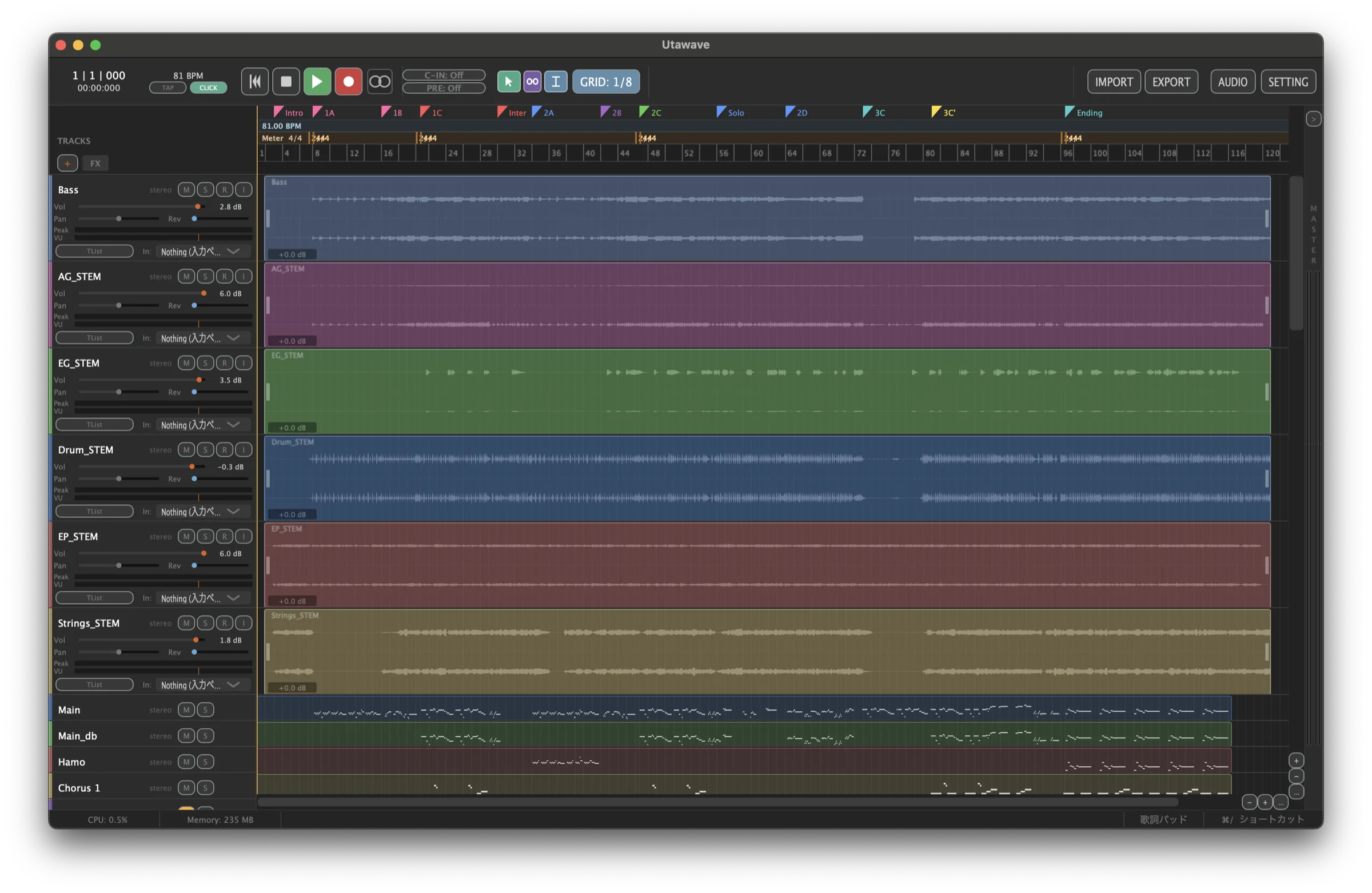
Place images/screenshot-main.png to show it here
Utawave at a glance
From recording to export, everything happens on one screen.

Change the backing track's key in one click
Right-click an imported waveform and choose "Change key...". Just pick from a range of ±6 semitones — no need to re-convert in another app. You can always go back to the original pitch, too.

Only four kinds of track to add
There are just four track types — Mono, Stereo, MIDI and Click. No long list of options to puzzle over; add exactly what you want to record, right away.

MIDI plays without a plugin, and the key is right there
MIDI tracks play with a built-in sound, so you don't need to set up an instrument plugin. Shifting the octave or a semitone takes a single button.
Why Utawave
We focus on one thing — recording your voice — and polish it.
A minimal screen you won't get lost in
We've narrowed the features down to just what recording needs, and put everything on one screen. No more "where do I even click?" — even first-timers reach their first take right away.
One of the world's lightest, ready instantly
The app itself is just over ten megabytes, and the download is only a few. There's no extra runtime to install and no complicated setup. Unzip, double-click, and start recording the moment you feel like singing.
Backing track levels sorted on import
Imported backing tracks are automatically set to a comfortable level. No fiddling to fix an instrumental that's too loud or too quiet — you can get straight to recording your vocals. (You can turn this off in settings.)
A lyrics pad to sing along to
A built-in lyrics pad you can keep on top at all times. Just load a text file or paste your lyrics, and you can read along while you record. The font size is fully adjustable, and lyrics are saved per song, so they're right there when you reopen the project.
Reverb on every track from the start
Each track has a built-in reverb. No hunting for a plugin — just one slider adds a natural sense of space to your voice. The recorded file stays untouched, so you can adjust it freely later.
Don't worry about your record-button timing
Once you start playback on a record-armed track, recording is already running in the background. So even if you hit the record button a little late, your first note isn't cut off — it's captured cleanly from the playback position. Forget the timing and focus on singing.
Built to keep your work safe
The safeguards to protect your precious recordings are there from the start.
Auto-save and generational backups
Projects are saved automatically at a set interval, and past states are kept as generational backups. If a crash happens, the app offers to recover your work on the next launch.
Carry the whole project with you
Every audio file you use is copied into the project folder. Just copy the folder to back it up or move it to another computer — that's all it takes.
Update notifications
When a new version is released, a notice appears on the start screen. No fiddly steps — you can always be on the latest version.
Support development
Utawave is developed and run by one person.
If you've found it useful, supporting continued development would mean a lot.
Your donations go toward the software signing certificate (a security certificate that lets you use the app safely) and ongoing development.